
BAY888 Mobile Guide for Philippine Users
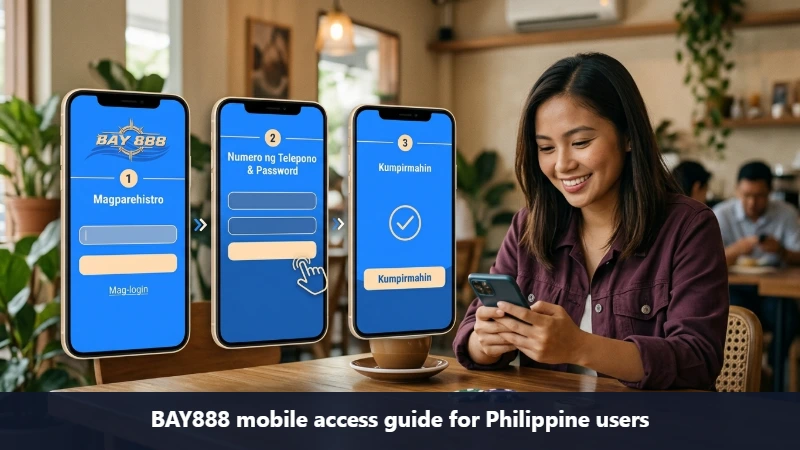
BAY888 is commonly accessed through a mobile phone, so a clean mobile experience matters from the first login to the final account check. On a smaller screen, users need to find the Member Center, Cashier, Game Lobby, Transaction History, and Support Desk without making accidental taps or sharing sensitive information.
This article is written for readers accessing BAY888 information through ph4444.ph. Before logging in, confirm that you are using the current page, then review the browser address and avoid old links saved from group chats or screenshots.
Quick answer: use a stable connection, log in only through the current BAY888 page, keep the browser updated, check Cashier details inside your own account, and log out after using a shared device.
Why mobile checks matter before you log in
A phone makes BAY888 easy to access anywhere, but it also creates a few common risks. Users may be on weak data, switch between Wi-Fi and mobile internet, use a shared device, or click a copied link without checking the address.
Before entering a username and password, check:
- Your mobile connection is stable
- The page address is current
- Your phone browser is updated
- You are not using a shared public device
- You can receive verification messages on your registered number
- You have enough battery for a payment or support process
- You are not opening the account through an unknown shortened link
Kung gumagamit ka ng public Wi-Fi, avoid doing deposits, withdrawals, password changes, or account recovery. Wait until you have a trusted connection.
Start with the BAY888 Member Center on mobile
The Member Center is the main control area for your BAY888 account. On mobile, it should be the first place to check after logging in—not the game screen.
Use it to review:
| Mobile account section | What to check |
| Profile | Username, mobile number, email and security settings |
| Cashier | Current deposit and withdrawal instructions |
| Transaction History | Deposit, withdrawal, promotion and status records |
| Promo Center | Active promotion terms and expiry conditions |
| Game Lobby | Available categories, game rules and bet limits |
| Support Desk | Official help channel and ticket details |
| Responsible Play | Available break, limit or account-control options |
If an account field is incorrect, fix it before sending a payment request. A wrong mobile number or inaccessible email can make verification and support follow-up harder.
How to improve BAY888 loading speed on a phone
A slow page does not always mean that the platform has a problem. It can also come from the phone, browser, data connection, background apps, or a low-battery mode.
Try these steps in order:
- Check whether your mobile data or Wi-Fi is stable.
- Close apps you are not using.
- Open BAY888 in an updated browser.
- Clear only unnecessary browser tabs; do not clear important account data unless you know what it does.
- Turn off battery-saving mode if it is restricting internet performance.
- Restart the browser if the page is not loading correctly.
- Avoid repeatedly pressing payment or login buttons while the page is processing.
- Switch to another trusted connection only after logging out safely.
Do not install an unknown “speed booster,” browser extension, or mobile app just because someone says it can improve BAY888 access. Unofficial tools can expose your account information.
Use Cashier safely on mobile
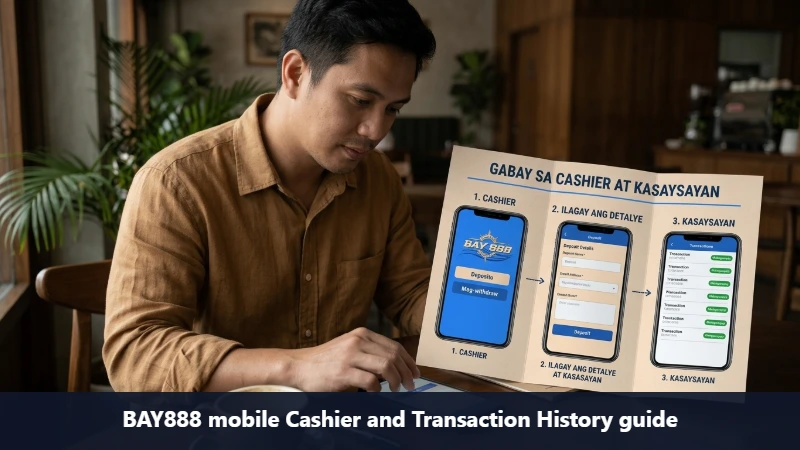
Cashier is where users check the current payment options, transaction instructions, and request status. It should always be opened after logging in, not from a copied payment screenshot.
A safe mobile Cashier flow is:
Log in → open Member Center → select Cashier → choose Deposit or Withdrawal → review current instructions → submit one request → save the reference → check Transaction History.
Before making a deposit, confirm:
- Payment method currently displayed
- Deposit amount
- Reference or receipt requirement
- Current instructions inside the Cashier page
- Whether you have an active promotion
- Whether the payment account details are from the current session
Before making a withdrawal, confirm:
- Available balance
- Active promotion conditions
- Receiving account or wallet details
- Current withdrawal limits shown in Cashier
- Request amount
- Withdrawal request ID after submission
Do not submit another request if the first one is pending. Check Transaction History first.
What to do when a mobile transaction is pending
A pending transaction is not always an error. The most useful first action is checking the record instead of creating duplicate requests.
Open Transaction History and review:
| Status | What it means for the user |
| Pending | The request is still processing or under review |
| Successful | The record has been completed in the system |
| Rejected | A displayed condition or detail needs attention |
| Cancelled | The request was stopped before completion |
| Under review | Additional checking may be required |
Save the following details before contacting Support:
- BAY888 username
- Request ID
- Amount
- Date and time
- Payment method
- Payment reference or receipt, if relevant
- Screenshot of the current status
Avoid sending only “pending po” to Support. A complete message helps the team find the correct transaction faster.
Keep your BAY888 mobile account secure
The most important mobile habit is protecting your login details. A password, OTP, and verification code are private. Support should not ask you to reveal them through a personal social-media message.
Use these account-safety rules:
- Create a unique password for BAY888
- Never send your OTP to another person
- Do not save passwords on a borrowed phone
- Check the URL before logging in
- Avoid shared public Wi-Fi for financial activity
- Log out after using a shared device
- Keep receipts and screenshots private
- Use the official Support Desk when you need help
If a person says they can “unlock” your account, release a withdrawal, or improve a promotion in exchange for payment or an OTP, stop. Return to the live Member Center and check the account record yourself.
Mobile game access: choose clarity over speed
A quick-loading game is useful, but users should not skip the game rules just to start faster. Before opening a title from the Game Lobby, check the category, bet range, rules, and payout information where available.
For a safer session:
- Choose a game category you understand.
- Read the game rules before the first bet.
- Check minimum and maximum bet settings.
- Set a fixed entertainment budget.
- Use a stable connection for live or timed content.
- Stop if the game freezes or the connection becomes unreliable.
- Check the game record before pressing the same action again.
Do not chase a loss because the phone screen was slow, a game was interrupted, or another person claims there is a winning pattern. Game outcomes remain uncertain.
How to report a mobile access issue
If BAY888 does not load correctly on your phone, give Support clear details. This makes it easier to separate an account issue from a connection or device issue.
Use this support-ticket format:
| Support field | What to provide |
| Subject | Mobile login, loading issue, Cashier question, or game issue |
| Username | Your BAY888 username |
| Device | Android or iPhone model, if needed |
| Browser | Browser name and version, if available |
| Issue time | Date and time the issue happened |
| Screen | Login, Cashier, Game Lobby, Transaction History, or Support Desk |
| Description | A short factual description of the problem |
| Screenshot | Image of the issue, without password or OTP details |
Example:
Mobile Cashier loading issue.
Username: [username]
Device: [device]
Time: [date and time]
Screen: Cashier
Issue: The page did not finish loading after I selected Withdrawal.
Please check whether there is an account-side issue.
Responsible mobile use at BAY888
A mobile phone is always nearby, which makes it easy to open a game without thinking about time or budget. Set personal limits before you begin.
Take a break when:
- You are playing late and tired
- You are increasing bets after a loss
- You are using money meant for essential expenses
- You feel angry, stressed, or pressured
- You are hiding activity from people close to you
- You keep reopening the account after deciding to stop
BAY888 should remain entertainment for adults, not a way to deal with financial stress.
FAQs about BAY888 mobile access
1. Why is BAY888 slow on my phone?
The cause may be your mobile connection, browser, background apps, low-battery mode, or device performance. Check these first before repeating a payment or login request.
2. Should I use an old payment screenshot on mobile?
No. Open Cashier after logging in and use only the current details shown in your active session.
3. What should I do if a withdrawal is pending?
Open Transaction History, save the request ID, and avoid duplicate requests. Contact Support with complete transaction details if clarification is needed.
4. Can I save my BAY888 password in a shared phone?
It is safer not to. Log out after every session and do not store your password on a device used by other people.
5. What should I send when reporting a mobile issue?
Provide your username, device, browser, date and time, affected screen, short issue description, and a safe screenshot if relevant.
6. Is BAY888 available to users under 18?
No. BAY888 is intended for adults only. Users should follow applicable local rules and use the platform responsibly.
Final reminder
A smoother BAY888 mobile experience comes from simple habits: use a stable connection, check the current page, protect your password and OTP, read Cashier instructions carefully, and keep only one transaction request active at a time.
If you return through ph4444.ph, repeat the same safety check before logging in. Use the live BAY888 Member Center, review the current information on screen, and ask Support through the official channel whenever something is unclear.